Shopify Theme Detector
Insert any Shopify store’s URL to quickly find out the theme powering its storefront.

How does it work?
A Shopify Theme Detector checks the page source of a store to find out the theme it uses. It fetches the HTML of a website and locates the “schema_name” value, which reveals the name of the Shopify theme.
The Theme Detector works for both custom and .myshopify.com domains, but the store must not be password-protected. If a theme is heavily customized or rebranded, the report may show a custom or generic title instead of the original theme’s name.
How to find what Shopify theme a store is using?
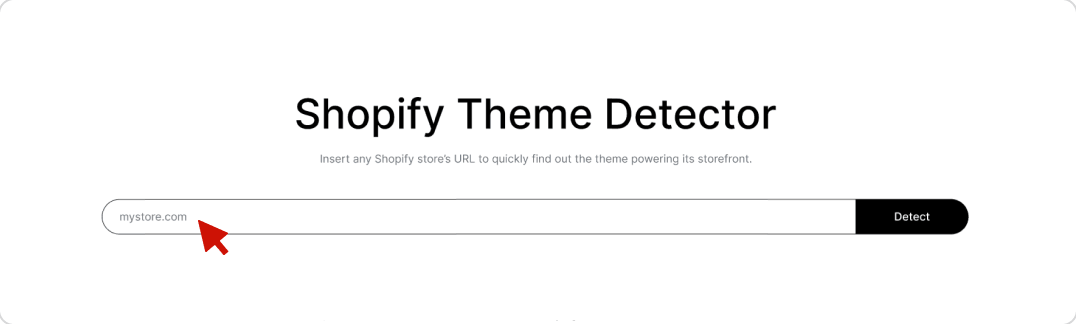
01Enter the store’s URL into the Theme Detector.
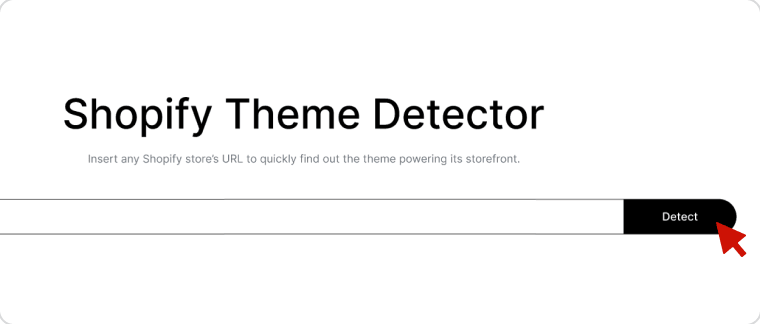
02Click Detect.
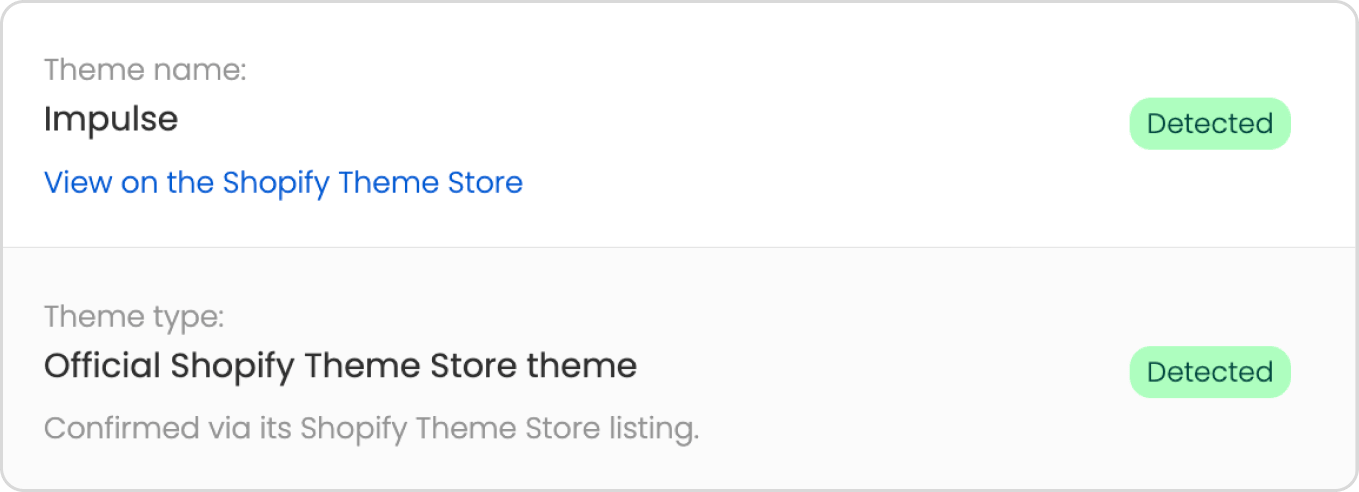
03Discover the theme instantly.
Other ways to find out the Shopify theme
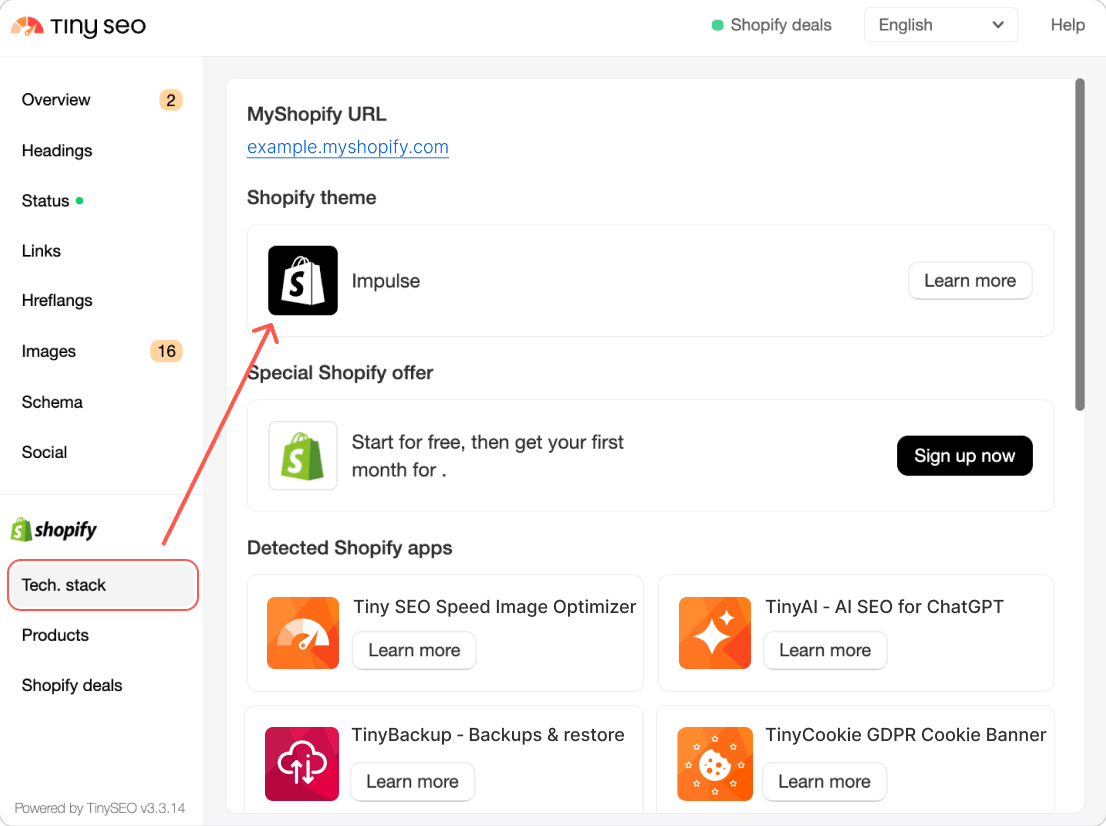
Use the TinySEO Chrome extension
- Download the TinySEO Chrome Extension (opens in a new tab).
- Open the website you want to check.
- Go to the extension > Tech stack.
- Find the theme under the “Shopify theme” field.
Inspect the page source
- Open the Shopify store you want.
- Right-click the page and press View page source (or CTRL+U).
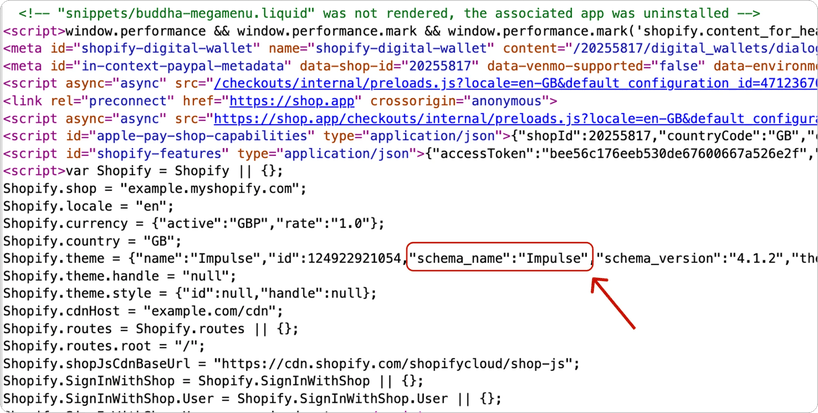
- Search for schema_name with CTRL + F to find the theme name.
Choosing the right theme can affect your store speed and CR
Theme detection can help you discover what themes successful Shopify stores are using. It can help you identify the patterns among stores that are known for their strong performance, so you can choose from themes that are proven to work well.
This is important because your chosen theme has a direct impact on your site’s load times and conversion rates (CR). If a theme is bloated from the start, it can become even slower once you set up your store and add products and images. Speed also directly affects sales because slow loading times can frustrate visitors and often lead to higher bounce rates, which directly hurts your CR.
Best Shopify themes in 2026
The best Shopify theme depends on your niche, catalog size, and business goals. To help you find what’s best for your brand, we’ve compiled a few guides we wrote based on our tests:
- Booster – best Shopify theme overall because it can be customized for different niches and comes with dozens of features and 80+ presets while maintaining fast speeds.
- Turbo – one of the fastest themes on Shopify that’s a great option for high-volume stores.
- Dawn – a free Shopify theme that’s widely used by merchants on a budget and comes with essential features to build a functional store.
- Flex – feature-rich theme that works great for freelancers and creatives who are looking for unique designs.
- Woodstock – great for dropshippers who want a variety of marketing features, like a stock counter or promotional popups.
What do the Theme Detector results mean?
When you run the Theme Detector, you’ll get one of two results – official Shopify theme or custom theme. Here’s what each answer means:
- Official Shopify theme – the theme is or was available on the Shopify Theme Store. You can see its name and Theme Store ID.
- Custom theme – the theme isn’t listed on the Shopify Theme Store. It’s either heavily customized from the original base theme, built from scratch, or purchased from a third-party marketplace.
Shopify theme identity: What the name, ID, and schema_name mean?
Every public Shopify theme has the “Shopify.theme” object in its page source, and it doesn’t just state the theme name. Here’s an example of what it can look like:
Here’s what each field means:
Field |
What is it? |
Is it important? |
name |
The name that the merchant gave for this theme. |
No, it doesn’t show the actual name of the theme. |
id |
Shopify’s internal ID for the theme in the specific store. |
No, it’s not a universal identifier – the same theme has a different ID in every store. |
schema_name |
The name that the theme’s developer built into it. |
Yes, it shows the theme’s identity. |
schema_version |
The version of the theme. |
Not for identification, unless you want to spot which stores run on an outdated release. |
theme_store_id |
The theme’s Shopify Theme Store ID. |
Yes – if it’s a number, the theme was sold on the Shopify Theme store. If it’s null, then it’s a custom theme or private. |
Why use a Shopify Theme Detector?
Finding out what theme a Shopify store is using can be used for practical research when picking a theme for your own store.
- Competitor research – analyzing what themes competitors are using can help you see how much they invest in their storefronts and the features they’re using. For example, if you notice that multiple websites in the same niche are using premium themes, it may suggest that they’re focusing on conversion optimization features.
- Evaluating a theme before purchasing – the demo sites on the Shopify Theme Store are meant to look flawless with a curated color scheme or polished product images. That’s why, when you’re choosing a theme, it’s useful to find live stores using the same one. It helps you see how it handles a real product catalog or how it looks on a mobile screen.
- Better briefing for developers – if you decide to hire a developer in the long run, finding references with actual themes that other stores are built on can help you point to specific parts of the site or features that you’d like to recreate.
However, a Theme Detector can only give you an idea of what theme a Shopify store is built on. Two stores with the same theme can look vastly different because one may be heavily customized.
Some features or widgets may not even be part of the actual theme. For example, reviews, upsells, or loyalty programs can be added through third-party apps. That’s why you should use the results of the Shopify Theme Detector to understand the foundation a store is built on, and not judge the theme on the store’s final look.
Frequently asked questions
- Mega menu – great for stores with large catalogs that want to keep navigation simple.
- Color swatches – help customers see product variants at a glance.
- Sticky header – keeps the navigation bar visible even as the customer scrolls down.
- Breadcrumbs – help navigation and improve SEO by helping search engines understand your site’s hierarchy.
- Countdown timer – helps highlight limited-time offers to increase urgency.
- EU translations – useful if you’re selling internationally.